
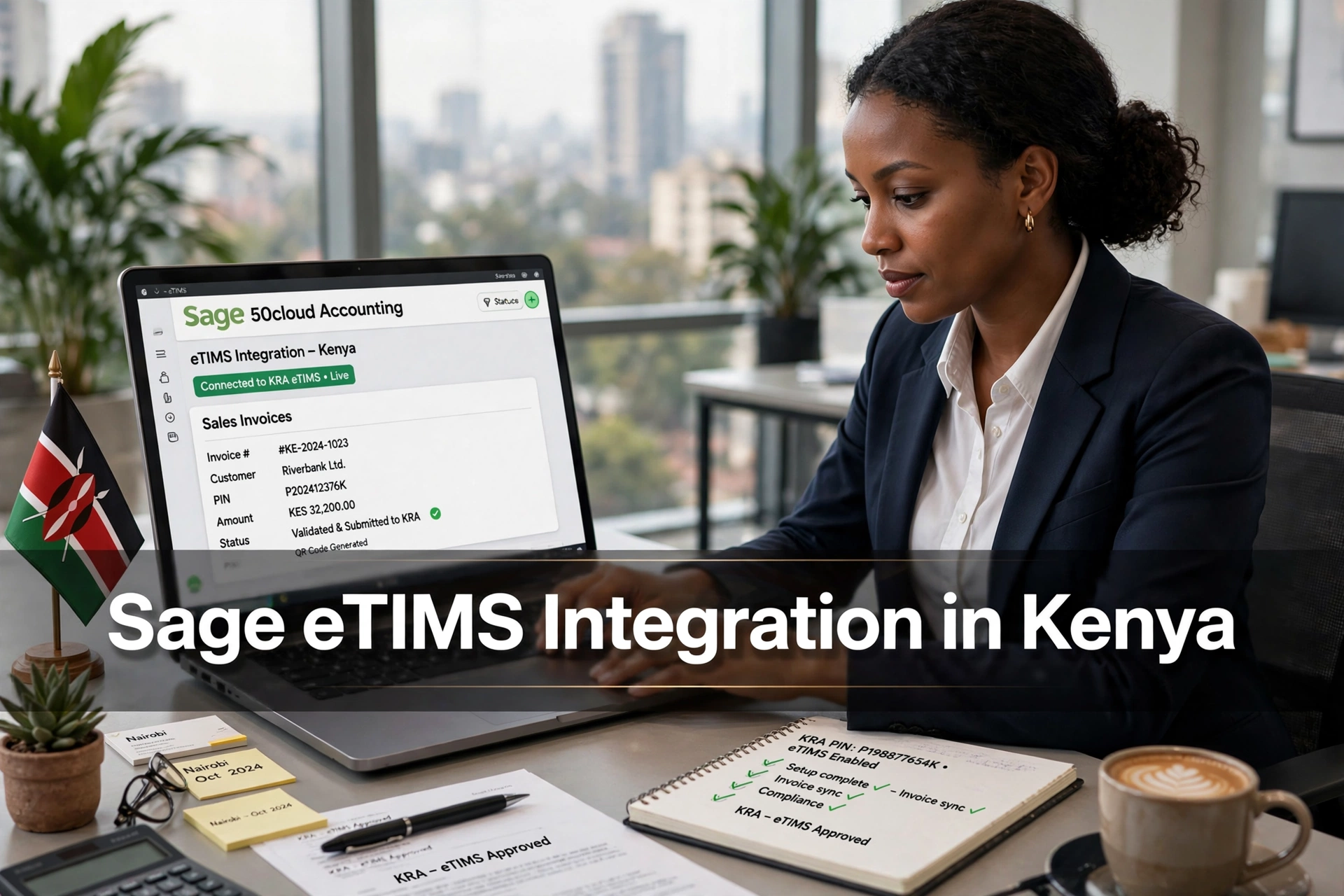
A business may already have a good invoicing process in Sage and still struggle with eTIMS. The accounts team prepares an invoice in Sage, then someone enters similar details into another system for tax reporting.
It may work when there are only a few sales. Once invoice volumes increase, problems begin to appear. Totals do not match, credit notes are missed, customer PINs are typed incorrectly, and staff waste time checking the same transaction twice.
That is why businesses search for Sage eTIMS integration in Kenya. They are not simply looking for another software feature. They want Sage and KRA eTIMS to exchange invoice information without turning every sale into a separate manual data-entry task.
What Does Sage eTIMS Integration Mean?
In simple terms, the integration connects a company’s Sage accounting setup with KRA’s electronic invoicing system.
Invoice information is prepared in Sage and passed to eTIMS through a system-to-system connection. KRA processes the transaction, while the relevant response details are returned or stored for future reference.
The setup is not identical for every business. “Sage” covers several products and versions, including Sage Business Cloud Accounting, Sage 50, Sage 200 and Sage Intacct. A connector built for one Sage product may not work with another.
Before paying an integration provider, ask them to name the exact Sage version they support. Do not settle for a general statement such as, “We integrate Sage.” Ask for a working demonstration using the version your business actually uses.
KRA provides system-to-system integration through OSCU and VSCU. The suitable option depends on factors such as the company’s invoicing setup, transaction volume and internet connectivity.
Our guide to the KRA eTIMS integration API explains this technical process in simpler language.
Where Most Integration Problems Start
Many businesses assume that an integration connector will automatically clean up their accounting records. It will not.
If VAT codes are wrong in Sage, the integration may send the wrong VAT treatment. If customer records contain outdated PINs, automation simply transfers bad information faster.
Before connecting anything, review the data already sitting in Sage. Check customer PINs, product names, VAT categories, unit prices, discounts and credit-note procedures.
This part is not exciting, but skipping it is how businesses end up blaming the connector for problems that started in their own records.
Consider a wholesaler issuing 150 invoices every day. The main benefit of integration is not that one invoice moves faster. It is that staff no longer have to repeat the same process 150 times.
However, if the wholesaler’s item codes and tax settings are inconsistent, the integration can also create 150 errors very quickly. Clean data must come first.
How the Setup Should Be Handled
Start with the current invoicing workflow, not the software demonstration.
Write down who creates an invoice, who checks it, when it is submitted to KRA, and what employees should do if a submission fails. The business should also decide whether Sage will remain the main source of invoice information and where KRA confirmation details will be stored.
The integration provider can then map the relevant Sage fields to the fields required by eTIMS.
Testing should cover more than one ordinary invoice. Ask the provider to test VAT-inclusive and VAT-exclusive prices, discounts, exempt or zero-rated supplies where relevant, cancelled sales, returns and credit notes.
A polished demonstration using one perfectly prepared invoice proves very little. Real businesses deal with corrections, network interruptions and employees who occasionally select the wrong customer.
The useful question is not simply:
“Can the connector send an invoice?”
The better question is:
“What happens when an invoice is rejected or something goes wrong?”
Businesses still comparing accounting platforms may also find it useful to understand how the process works when linking QuickBooks to eTIMS or setting up a Zoho Books eTIMS integration.
The goal is not to choose accounting software because of its brand name. It is to choose a setup that matches the company’s actual invoicing process.
What to Ask an Integration Provider
Do not accept “Yes, we integrate Sage” as a complete answer.
Ask which Sage products are supported, whether the provider’s KRA integration status is current, and how rejected invoices are handled.
Support matters just as much as installation. Find out who fixes the connection after a Sage update, what happens when KRA services are temporarily unavailable, whether failed transactions can be submitted again, and whether users can see a clear error log.
You should also request the full cost in writing. This may include the initial setup, software subscription, maintenance, employee training and future customisation.
A low setup fee may look attractive until the first serious problem appears and nobody takes responsibility for fixing it.
Is Sage eTIMS Integration Worth It?
For a small business issuing only a handful of invoices, a full custom integration may be unnecessary.
For a company processing many transactions, operating several branches or already relying heavily on Sage, the time saved can be substantial.
Still, integration is not a substitute for proper accounting controls. Employees must continue checking customer details, tax treatment and credit notes. Management should also reconcile Sage records with eTIMS submissions instead of assuming that every transaction was accepted successfully.
The best Sage eTIMS integration is one employees barely notice during normal work but can understand when an error occurs.
It should reduce duplicate entry, keep invoice records traceable and make compliance easier to manage. Anything less is simply another system the accounts team has to babysit.

Charles Brook is the Founder of Vantiro Media and a University of Nairobi (B.Com) graduate. As a business software specialist, he helps Kenyan SMEs navigate eTIMS compliance, compare tools like QuickBooks, Zoho, & Sage, and choose the best budget-friendly accounting systems.
Kenya SME Software Brief
Need Help Choosing Accounting Software in Kenya?
Get simple buying tips, eTIMS guidance, VAT record advice, pricing comparisons, and software recommendations for Kenyan SMEs.
- eTIMS tips
- VAT records
- Pricing guides
- Software comparisons
No spam. Just useful Kenya business software updates and simple accounting guides.
Free Checklist